 SongMirror
Keep your playlists in sync.
Copy a playlist once or keep it updated across music services on your own schedule. SongMirror runs on your server and works from your browser.
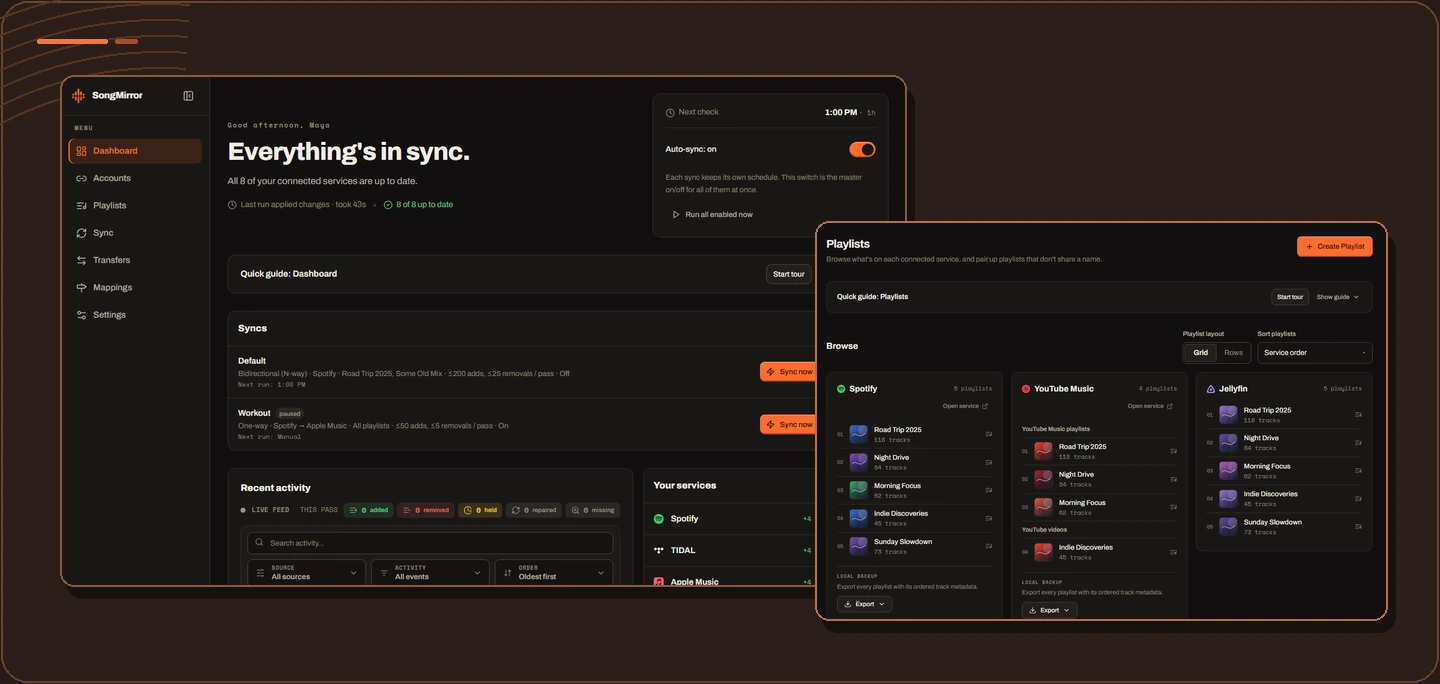
Schedule syncs
Choose one source, merge several playlists, or sync changes in both directions. Preview changes before they run.
Transfer once
Copy a playlist from a connected account or public link. Review unmatched tracks and check transfer history.
Keep a local mirror
Save audio and playlist files in a Jellyfin-ready layout. Reuse the tracks you already have on disk.
Connect your libraries.
Choose the accounts and servers you want to sync. The setup guides explain the connection for each service.
- Listening history
- Last.fm ListenBrainz
- Music servers
- Jellyfin Navidrome / Subsonic
Run it with Docker.
Start SongMirror, then open localhost:8888 and connect your music accounts. Compose keeps your settings and downloads between restarts.
Read the container guidegit clone https://github.com/ahnafnafee/songmirror.git
cd songmirror
mkdir -p data downloads
docker compose up -dSupport SongMirror.
Donations help fund maintenance and testing across music services. A GitHub star also helps other listeners find the project.